Blog
Now available: VitalKeep with Alexa asks if they are okay, lets them ask for help by voice, and reads them your messages
If there is an Amazon Echo speaker at home, VitalKeep asks out loud whether everything is okay when an alert goes off, the person you care for can ask for help by speaking, and the family can send messages that Alexa reads out loud.
Now available (4 Nov 2026): Amazon has approved both skills, VitalKeep and VitalKeep Aviso. We switch it on with each family: write to us and we will help you connect it.
A few days ago we told you we were testing VitalKeep with Alexa. It is optional: all you need is an Amazon Echo speaker in the home of the person you care for.
What it does
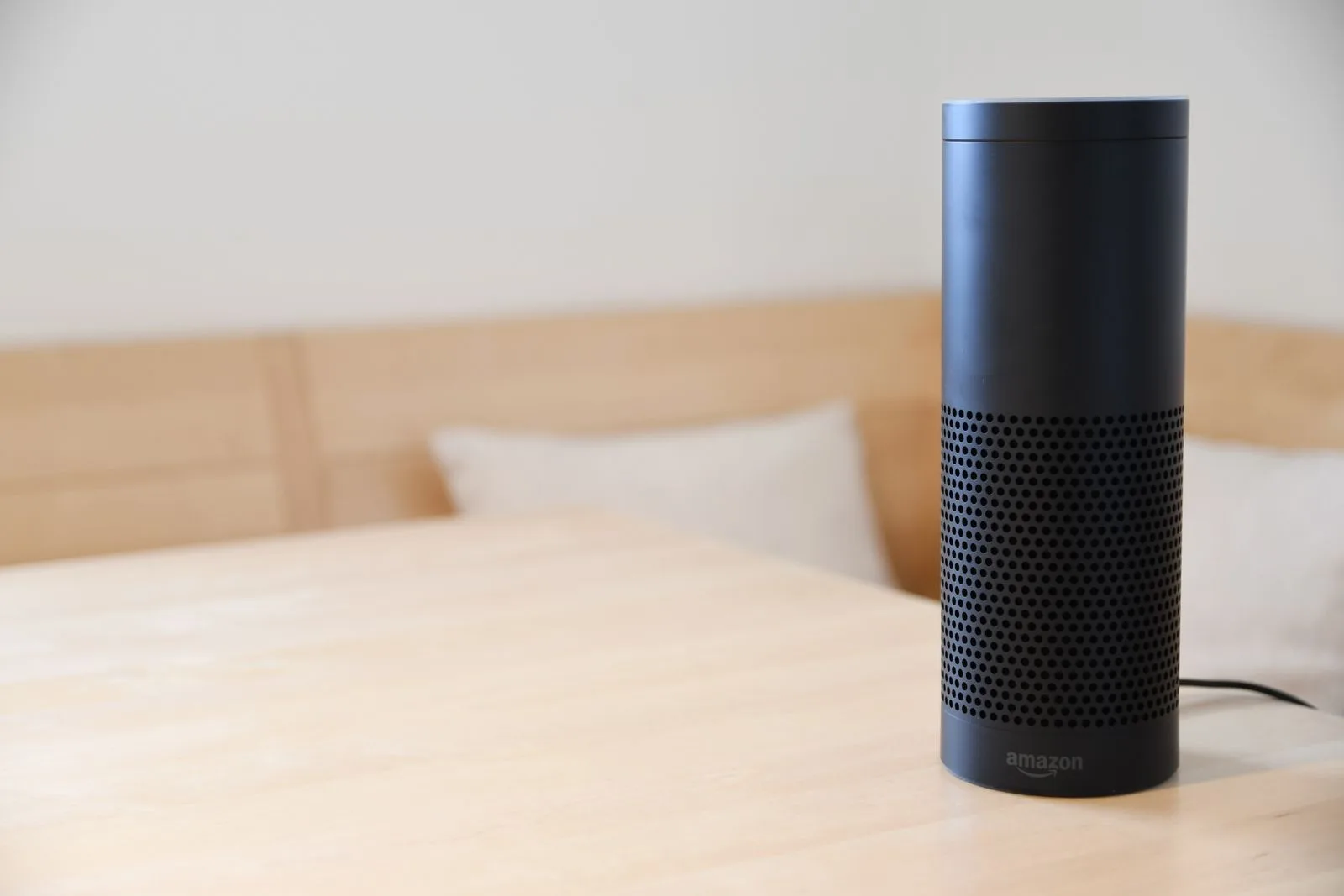
It asks out loud when an alert goes off. If the wristband detects a possible fall, that they have not moved for too long, or that the help button was pressed, the speaker at home says (in Spanish):
“¿Estás bien? Di: estoy bien, o necesito ayuda.” (“Are you okay? Say: I’m okay, or I need help.”)
- If they answer “estoy bien” (“I’m okay”), you instantly get a notification such as “Carmen said she is okay on Alexa” and we cancel the phone call that was about to ring. The alert stays open in the app until one of you reviews and closes it, in case it was the TV or a visitor who spoke.
- If they answer “necesito ayuda” (“I need help”), the alert becomes urgent and the family finds out right away.
They can ask for help by speaking, without the wristband. With the help routine, they just say “Alexa, ayuda” (“Alexa, help”). If the Echo has Alexa+, they then say “necesito ayuda” (“I need help”) when the speaker answers. The family is alerted exactly as with the wristband button, and the alert shows it was requested by voice.
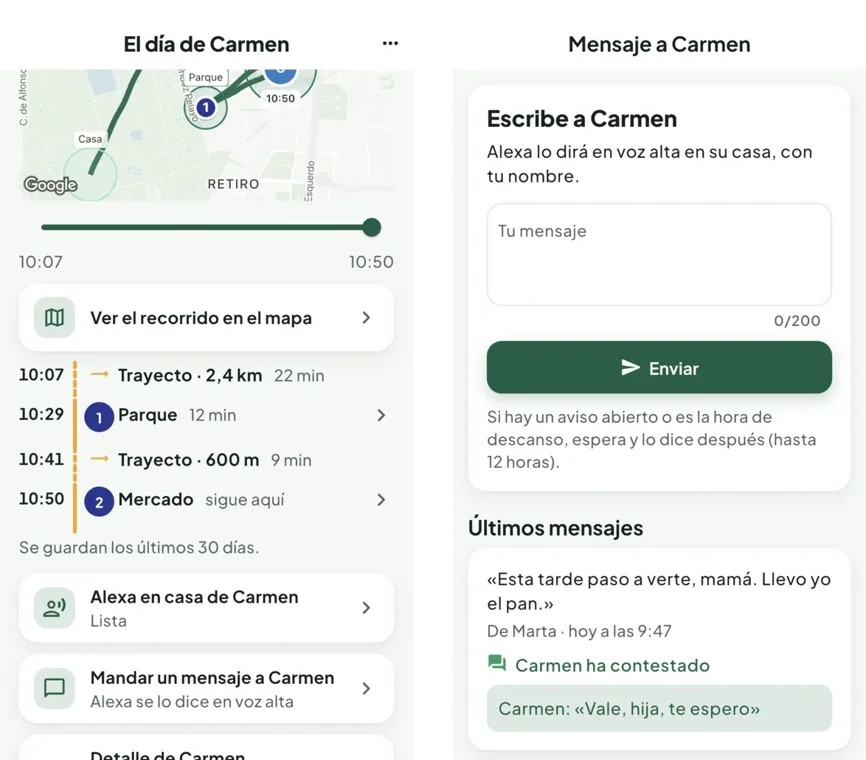
It reads your messages out loud. From the app you write a short message, for example “I’ll come by this afternoon”, and the speaker says: “Message from Marta: I’ll come by this afternoon”. The app shows whether they heard it and, if they replied, their answer. If there is an open alert or it is night time, the message waits and is read later, for up to 12 hours.
How to connect it
You only do it once and the app walks you through it:
- Update the VitalKeep app on your phone.
- Open “The day of” the person you care for and tap Alexa. If you do not have the latest version yet, you will find it under “Details”.
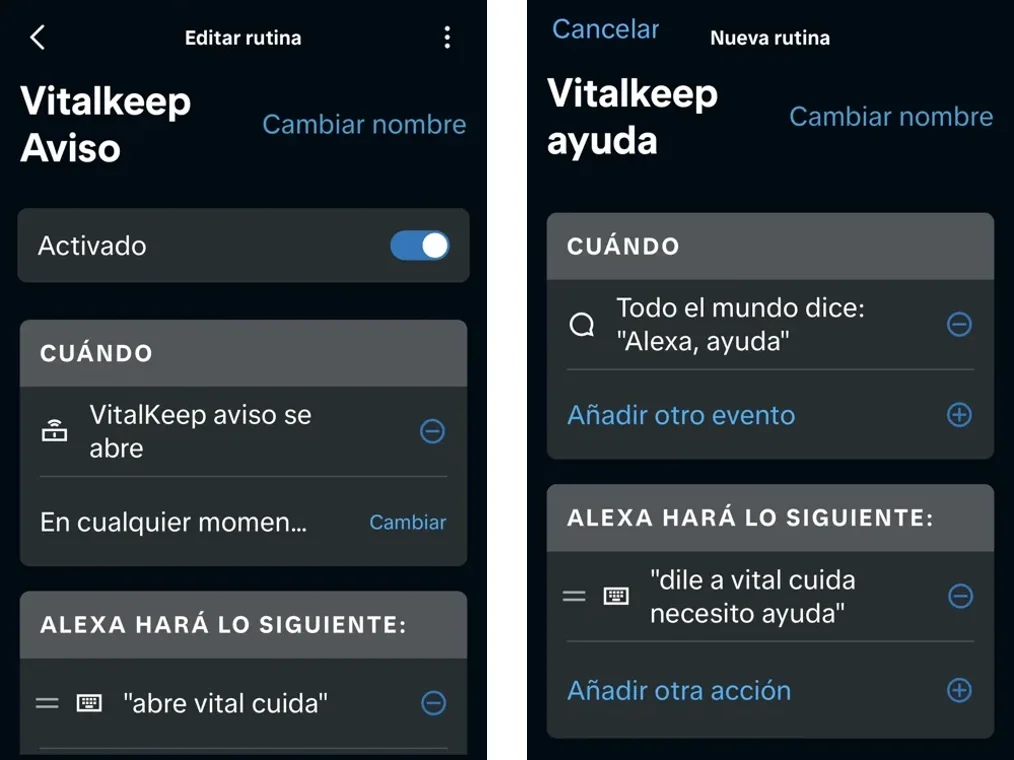
- Follow the assistant: enable the VitalKeep and VitalKeep Aviso skills in the Alexa app, using a code VitalKeep gives you, and create two routines, one for alerts and one for “Alexa, ayuda”.
- At the end, the app runs a test to check that the speaker talks.
This is how the two routines look in the Alexa app (in Spanish). The first one makes the speaker talk when an alert goes off; the second one makes “Alexa, ayuda” alert the family. With Alexa+, the action of the second one is “abre vital cuida”:
What does not change
- The VitalKeep wristband and plugs still have no microphone and no camera. We still think the same as in why we say no to cameras.
- It is optional. Without an Echo, VitalKeep works exactly the same.
- VitalKeep does not receive the audio. The speaker belongs to Amazon and Amazon processes the voice under its own terms. We only receive the text of the answer (“estoy bien”, “necesito ayuda”) and keep it for 30 days, like the messages.
- Their consent is required, or their representative’s. You can disconnect it at any time from the app, and we then delete the messages and voice answers.
- If other people live in or visit the home, they can also hear the speaker. Let them know.
What it is not
VitalKeep is not an emergency service, not even with Alexa. In an emergency, call 112. What Alexa does is let the family know sooner, and let the person you care for say how they are in their own voice.
Amazon, Alexa, Echo and all related logos are trademarks of Amazon.com, Inc. or its affiliates.